Mining Pools Explained: 2Miners Setup Guide
What Is a Mining Pool?
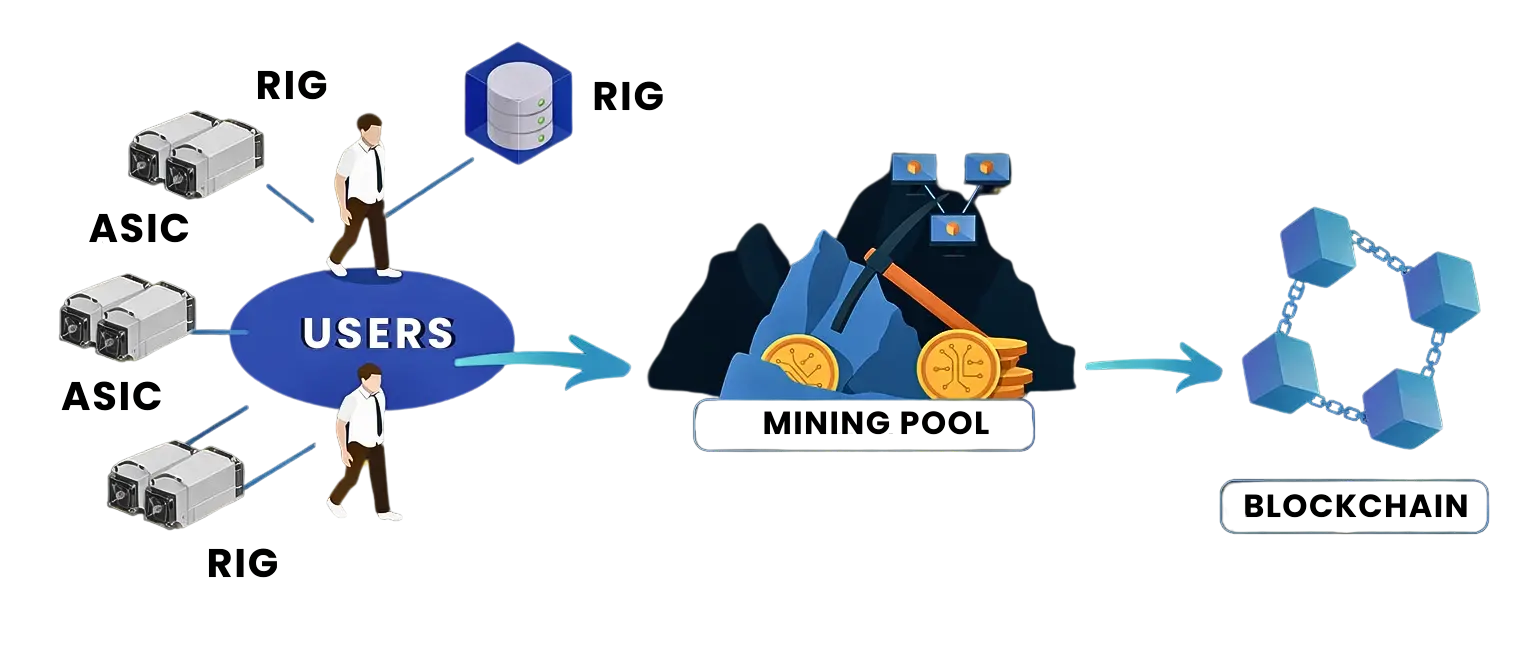
A mining pool is a group of miners who combine their computing power (hashrate) to secure the network and find blocks and earn rewards more consistently.
Instead of mining alone and waiting a long time for a reward, miners in a pool:
- Pool hashrate
- Work together to find blocks
- Receive smaller but more frequent payouts
Mining pools are ideal for beginners and professional miners alike.
How a Mining Pool Works
How multiple miners combine hashrate through a mining pool to submit blocks to the blockchain.
Why You Need a Mining Pool
When you are allocated hashrate on LazyPickaxe, your mining power must be connected to a pool.
LazyPickaxe supports custom pool configuration
Recommended Pool: 2Miners
2Miners is a popular and beginner-friendly mining pool that supports multiple algorithms and coins.
🌐 Official website: https://2miners.comStep-by-Step: How to Set Up a Pool Using 2Miners
Step 1: Choose Your Coin & Algorithm
- Visit 👉 https://2miners.com
- Select the coin you want to mine
(Example: Bitcoin, Litecoin, Kaspa, etc.) - Note the algorithm used by the coin
Make sure the algorithm matches your LazyPickaxe allocation.
Step 2: Copy the Pool URL
- Each coin on 2Miners provides a pool connection URL.
- Example format: kas.2miners.com:2020
- Choose the EU server better stability and ping
Step 3: Prepare Your Wallet Address
You need a wallet address to receive mining rewards.
- Use a supported wallet (e.g. Exodus)
- Make sure the wallet matches the selected coin
- Copy your wallet address
💡 On 2Miners, the wallet address is usually used as the worker name.
Step 4: Add Pool Details on LazyPickaxe
- Log in to your LazyPickaxe account
- Go to Allocation
- Open Completed Rentals
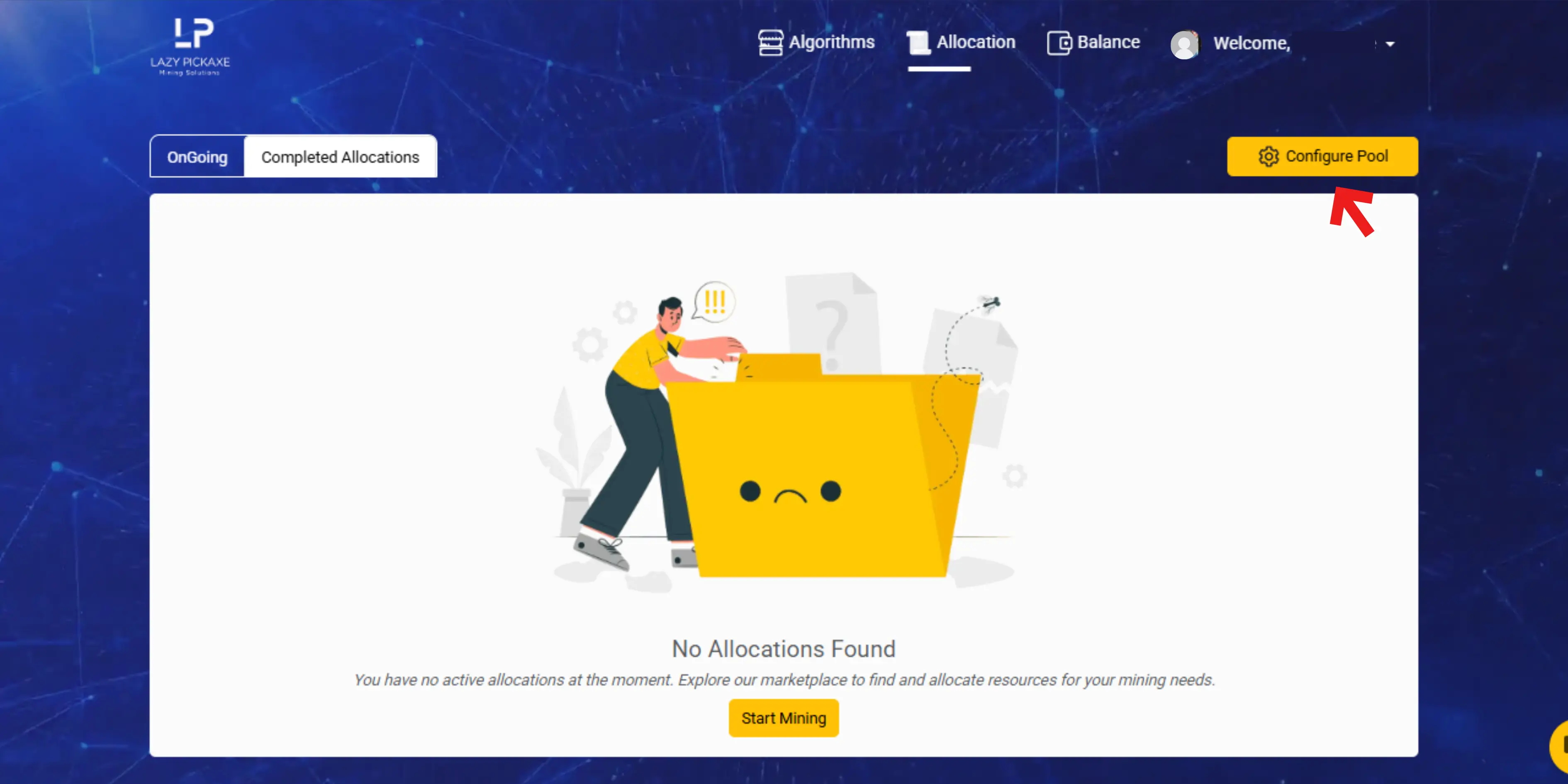
- Click Configure Pool
You will be redirected to the Pools page.
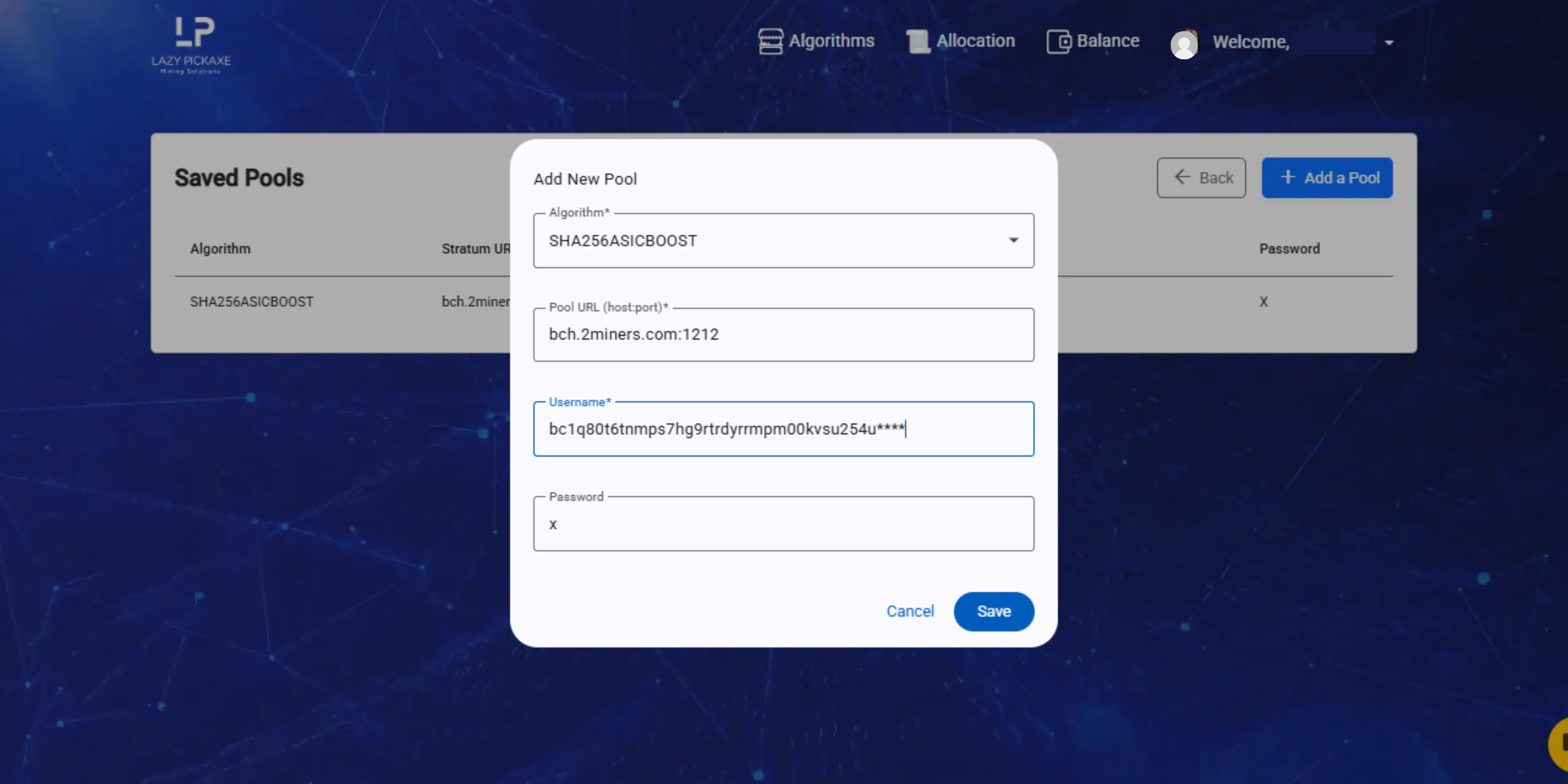
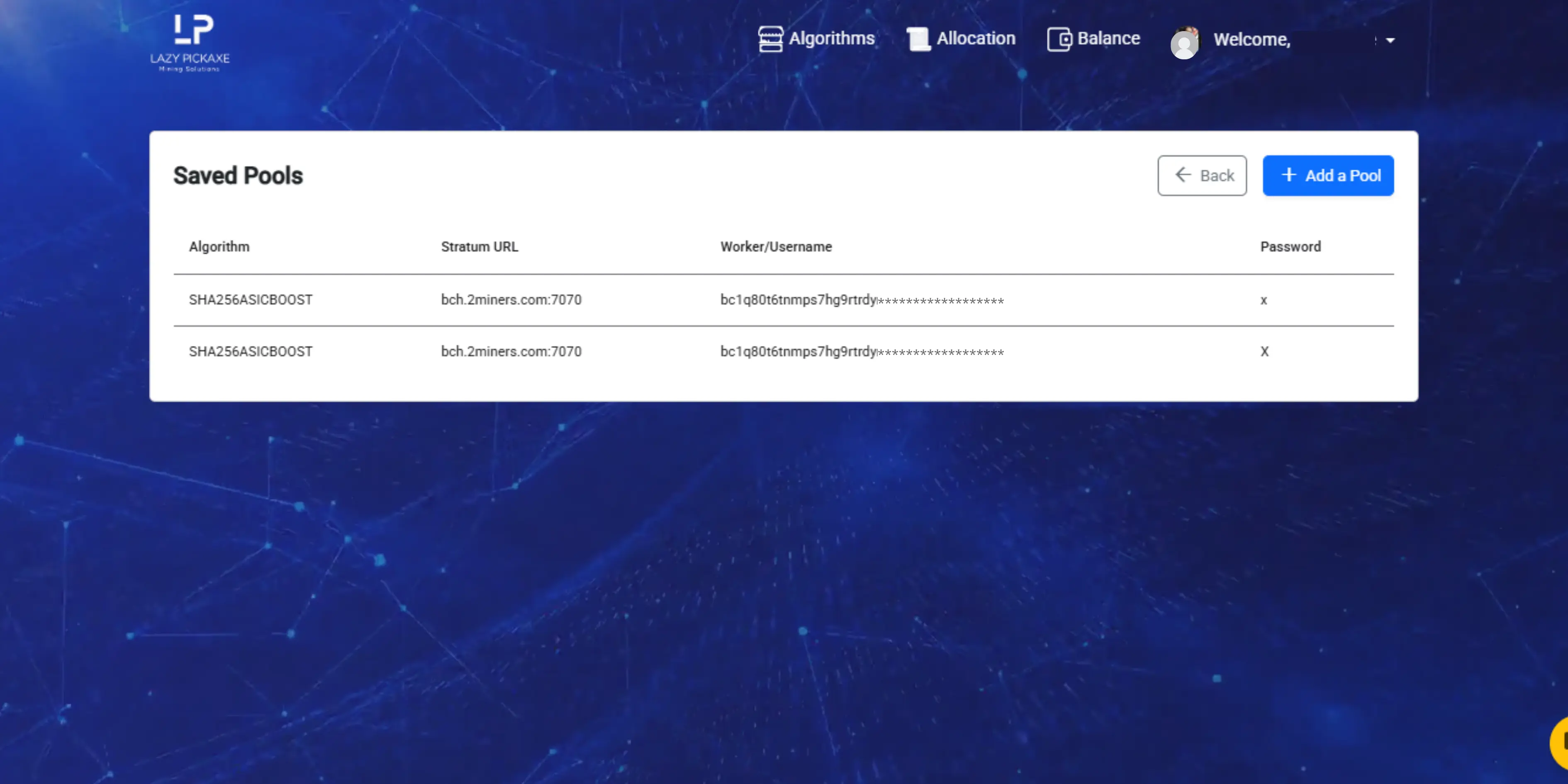
Step 5: Add a New Pool
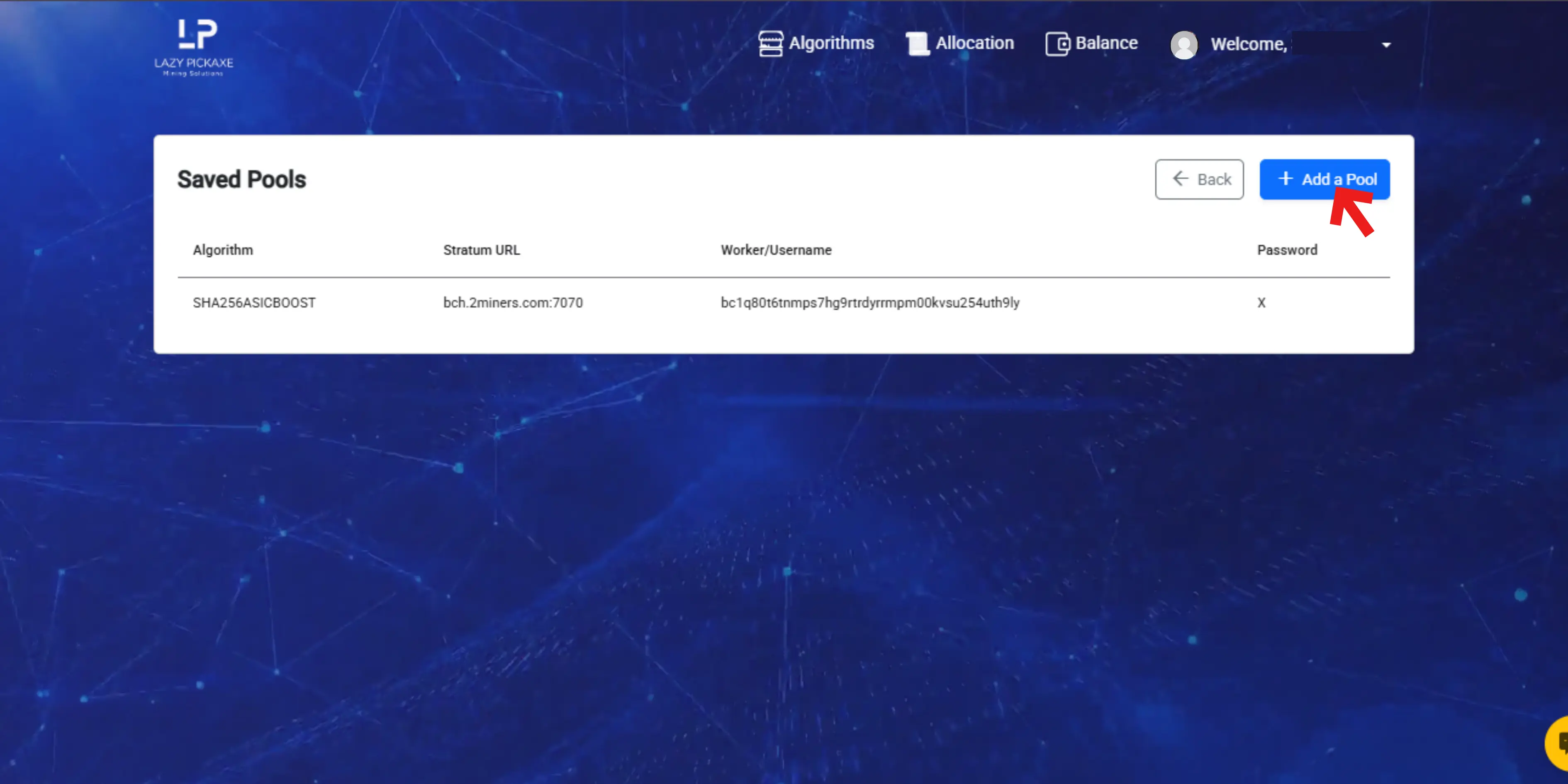
- Click Add Pool
- Enter the details copied from 2Miners:
| Field | Value | Example |
|---|---|---|
| Algorithm | Select the correct algorithm | Kheavyhash |
| Pool URL : Port | From 2Miners | kas.2miners.com:2020 |
| Worker Name | Your wallet address | Kaspa |
| Password | x | x |
- Save the pool
Your pool will now be available for future allocations.
Step 6: Start Mining
- Go to Algorithms
- Select your preferred algorithm
- Choose the pool you added from the pool list
- Complete payment and confirm
- Click Start Mining
LazyPickaxe will automatically connect your allocation to the selected 2Miners pool.
Track Your Mining Performance
After clicking Start Mining, you can monitor the hashrate from the Allocation page.
You can view mining statistics and rewards directly on 2Miners:
- Go to https://2miners.com
- Open the same coin page
- Paste your wallet address into the search bar
You can view:
- Current hashrate
- Worker status
- Shares submitted
- Payout progress
⏳ Pool statistics may take a few minutes to update.
Important Notes
- Hashrate fluctuations are normal
- Pool dashboards may update with a short delay
- Rewards are paid directly by the pool to your wallet
- LazyPickaxe does not hold mining rewards
Like this article? Share it!